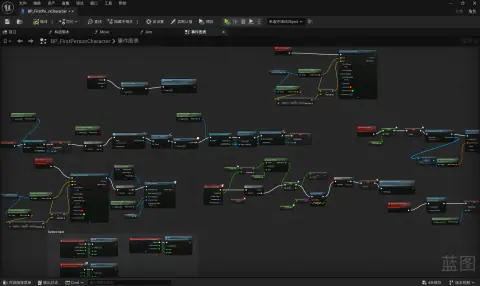
Overview
UE5 Multiplayer PVE Demo is my first game demo built after moving from a Unity-centered workflow into Unreal Engine 5. It was developed from the official UE5.7 First Person template, with the goal of completing a small but demonstrable combat loop that could be packaged, run locally, and tested with two instances through a Listen Server.
One player creates a local Listen Server, and another joins through the local address. After both players enter the range, they fight enemies together. Enemies search for the nearest alive player on the server, pursue through NavMesh, play attack animations, and apply damage. Players attack through a first-person line-trace weapon. Kills increase the team score, and when the target score is reached, all clients see the synchronized victory state.
This is not a commercial-scale online framework. It is a focused UE5 multiplayer practice project built around the assignment requirements: enemies move and attack players, players can defeat enemies, the game tracks score and victory, and the local Listen Server flow works end to end.
Core Gameplay Loop
Create and Join
The main menu exposes single-player, create multiplayer, and join game entries. In multiplayer mode, the first instance creates a Listen Server and the second connects locally.
Co-op Combat
Two players enter the training range and shoot enemies together. Target selection, movement, attacks, and damage all run on the server, then replicate outward.
Score and Win
When an enemy dies, the server increases team score. Once the target score is reached, GameState replicates the win state and every HUD shows the result.
My Role
This was a solo project. I handled the full path from template extension and Blueprint implementation to multiplayer synchronization, UI, packaging, documentation, and video capture.
- Extended the First Person template with shooting, local line-trace feedback, and server-authoritative damage.
- Implemented player health, death menu, Owning Client RPC display logic, and server-side respawn.
- Built enemy health, damage, death, nearest-alive-player targeting, NavMesh pursuit, and melee attack flow.
- Used GameMode and GameState for team score, target score, and win-state synchronization.
- Implemented Listen Server creation, local joining, Lobby player-count checks, and ServerTravel.
- Built the HUD, crosshair, main menu, death menu, and input-mode recovery.
- Organized the GitHub repository, technical report, submission brief, and demo video.
Multiplayer Design
The project uses a Listen Server model. Damage, death, AI, respawn, score, and win checks are handled by the server. Clients mainly handle input, local UI, and immediate visual feedback.
Server RPC
Clients request shooting through ServerFire and respawn through ServerRespawn. Real hit checks, damage, death, and teleporting are executed by the server.
Client / Multicast RPC
The death menu uses an Owning Client RPC so only the dead player sees it. Enemy attack animation uses Multicast RPC so all windows share the same presentation.
Replication
Player health and death state, enemy movement, team score, target score, and victory state are replicated to connected clients.
Player System
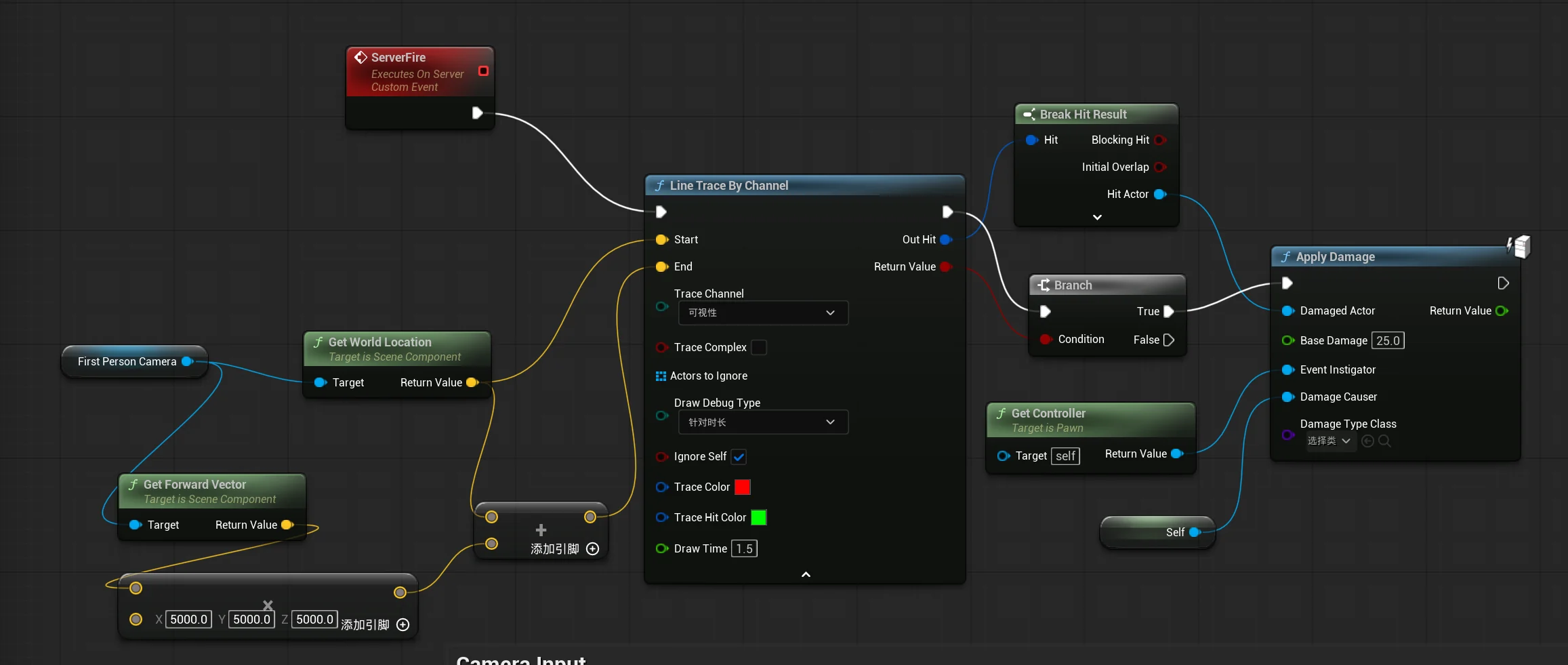
Player shooting extends the First Person template. When the player presses the fire button, the client first runs LocalFireVisual and draws immediate line-trace feedback. It then calls the ServerFire RPC, where the server performs Line Trace By Channel from the first-person camera position and direction. On hit, the server applies damage to the enemy.
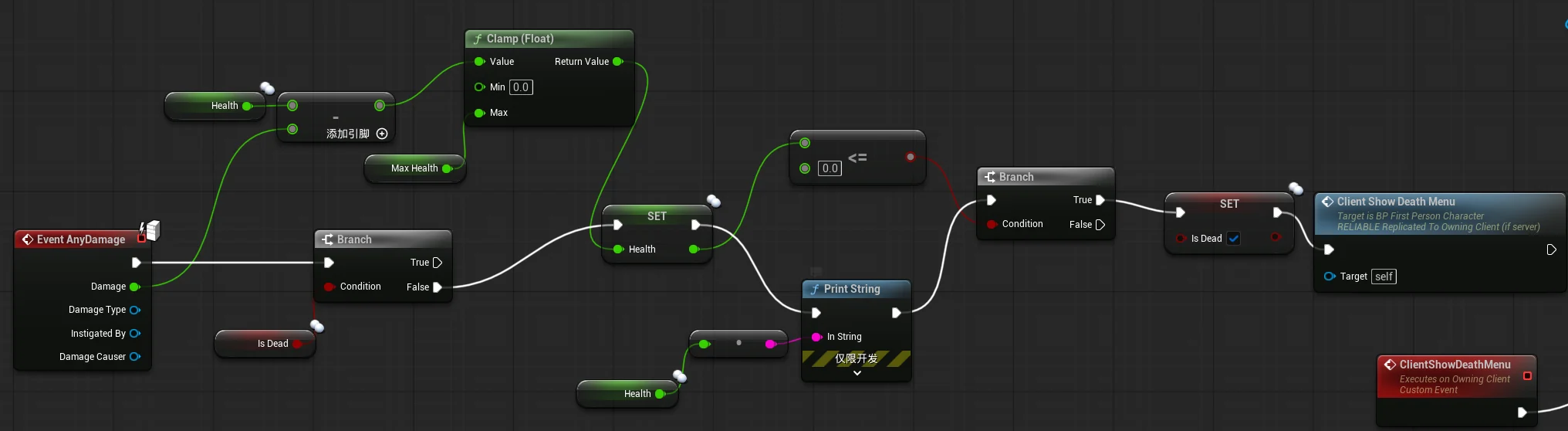
The player character maintains Health, MaxHealth, and IsDead; health and death state are replicated. Enemy attacks apply damage on the server. In Event AnyDamage, the character first checks IsDead to prevent repeated damage after death, then clamps health into a valid range.
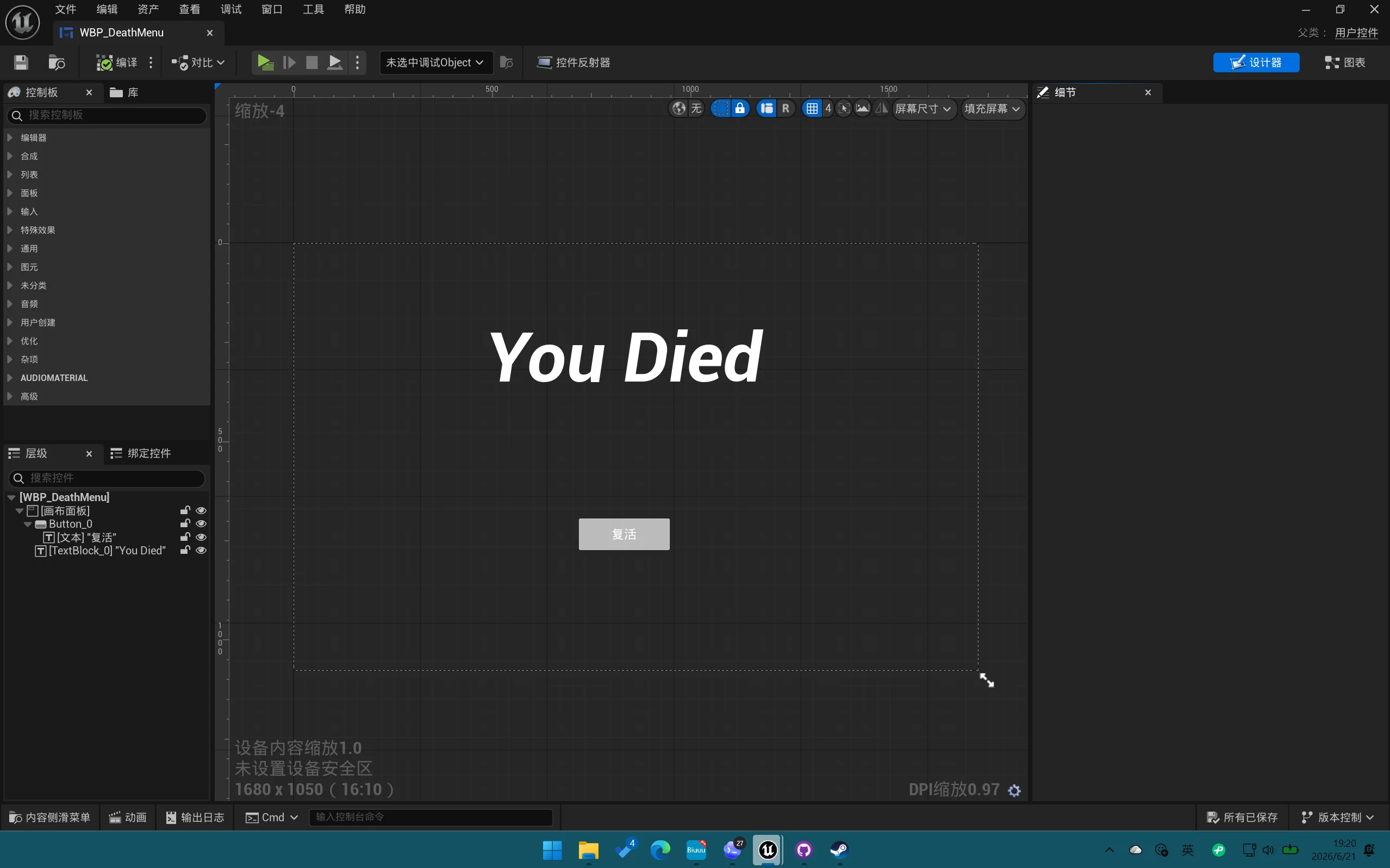
When health reaches zero, the server sets the death state and calls ClientShowDeathMenu. Because this event runs on the owning client, the death menu appears only for the dead player. Pressing respawn asks the server to restore health, reset death state, and move the character to PlayerStart.
Enemy System
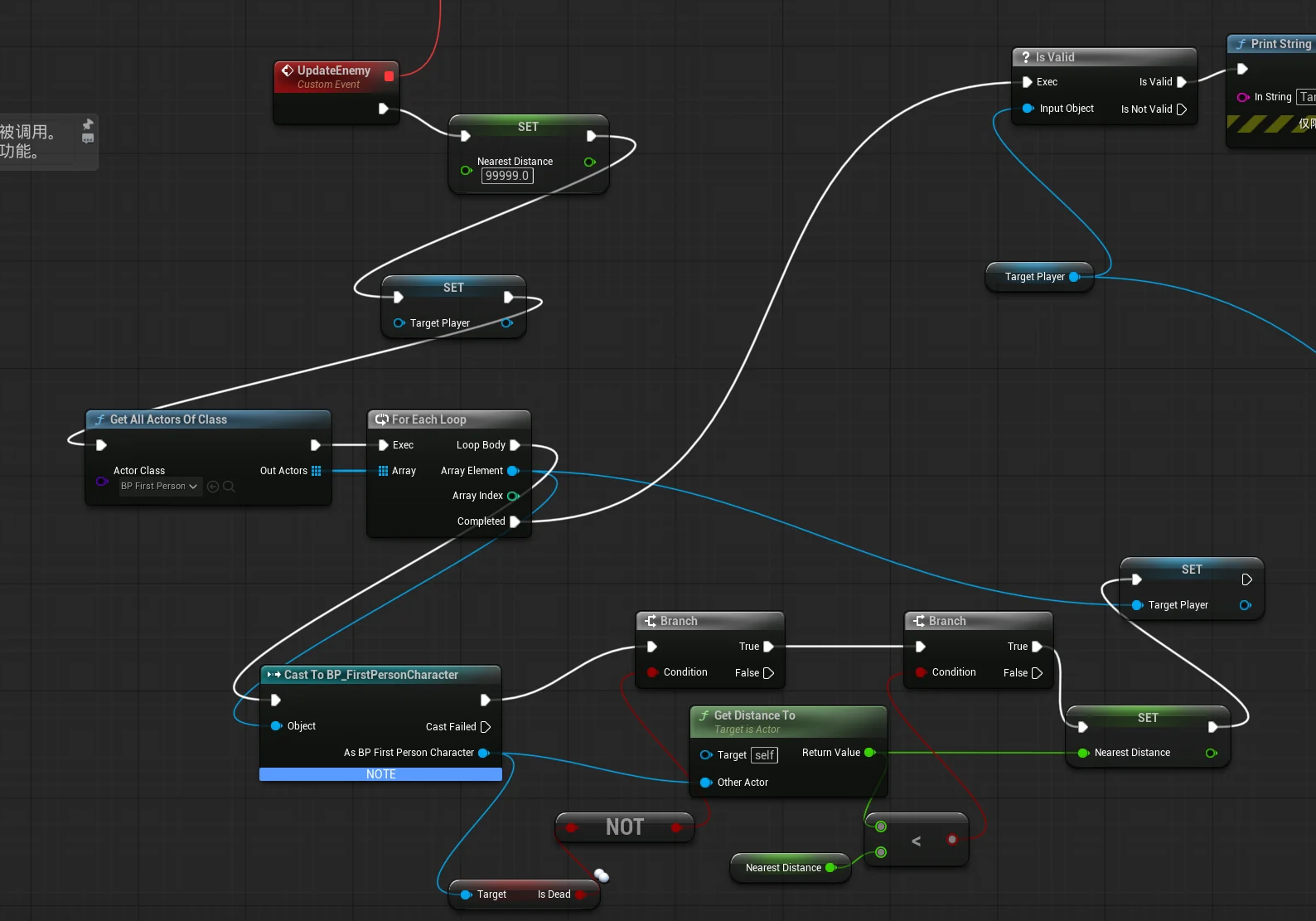
Enemy AI only runs on the server Authority branch. On BeginPlay, the enemy starts a timer and periodically calls UpdateEnemy. That logic iterates over player characters, skips dead ones, selects the nearest alive player as the target, and uses AI MoveTo with NavMesh for pursuit.
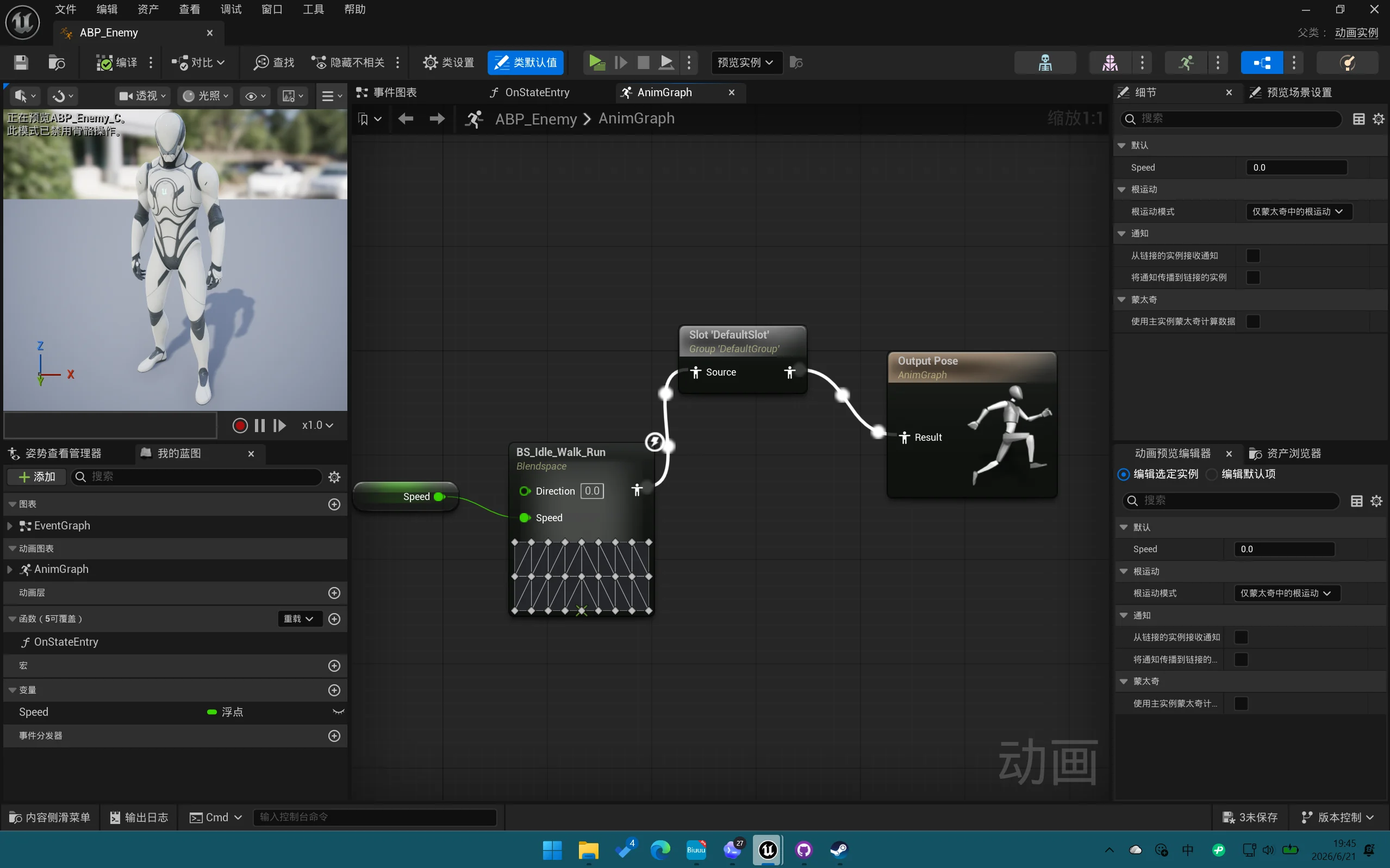
When the enemy enters attack range, LastAttackTime and AttackCooldown control frequency. The attack first calls Multicast_PlayAttack, letting every client play the animation. After about 0.35 seconds, the server checks whether the target is still valid and still in range, then applies damage.
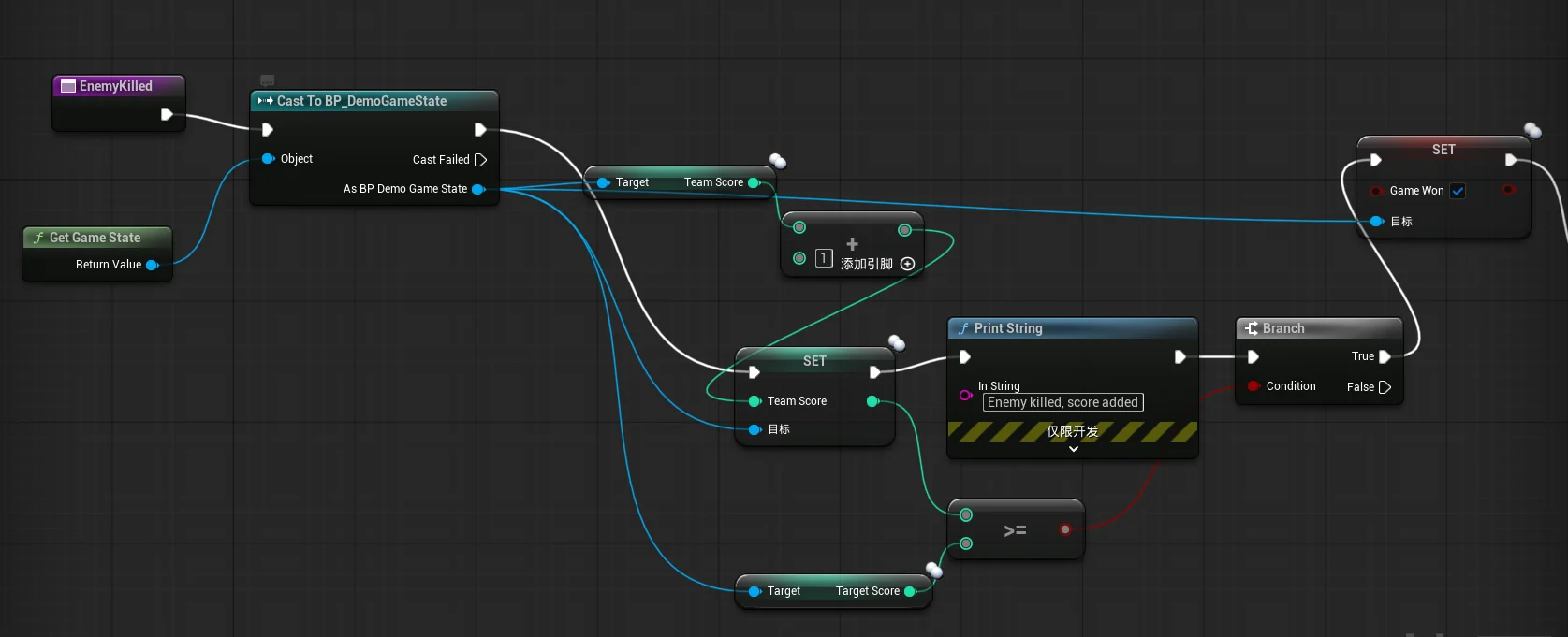
When enemy health reaches zero, the server calls EnemyKilled in GameMode to increase team score, then destroys the enemy Actor. This keeps enemy death, scoring, and win checks under one server-authoritative path.
Lobby, Score, and Victory
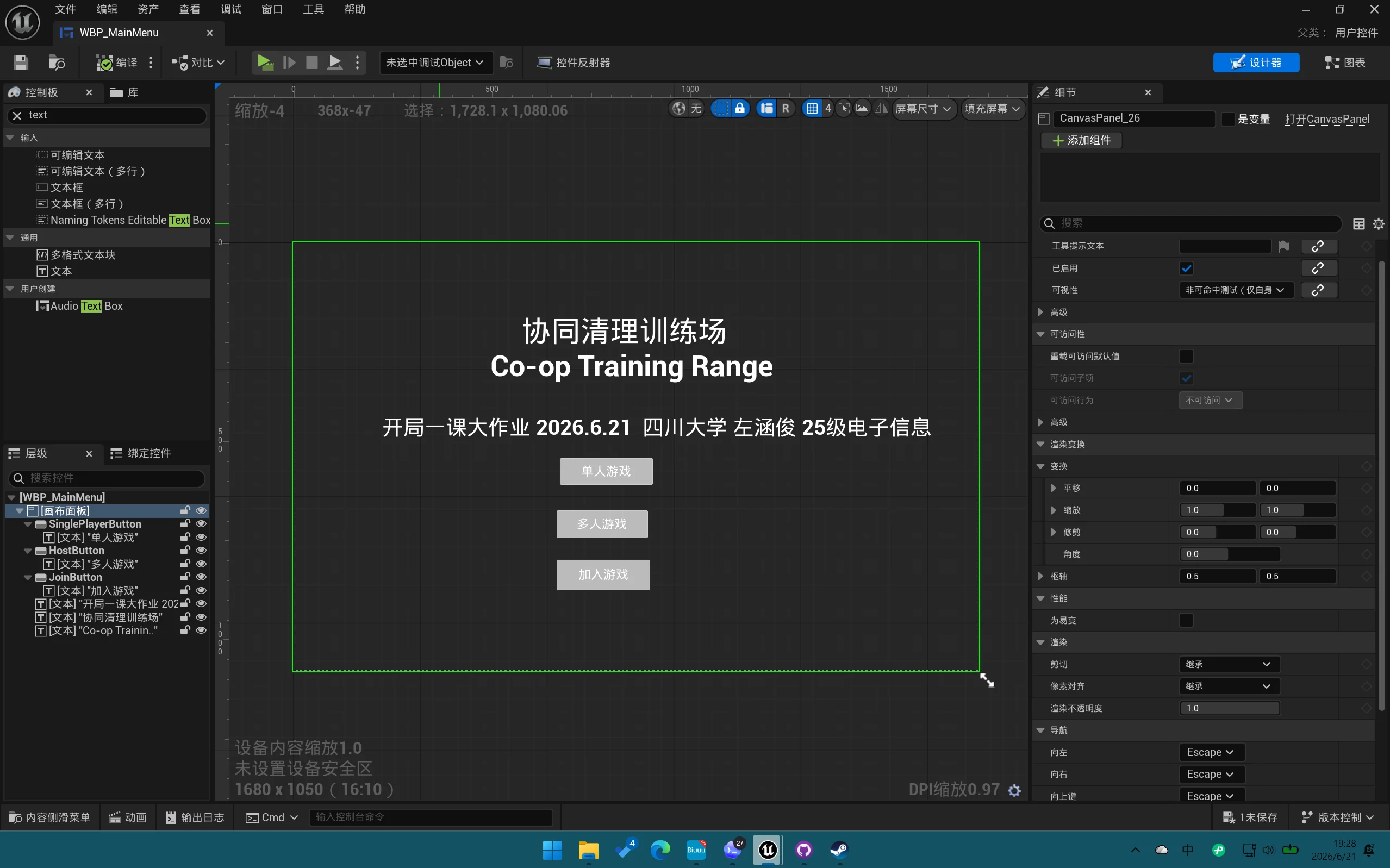
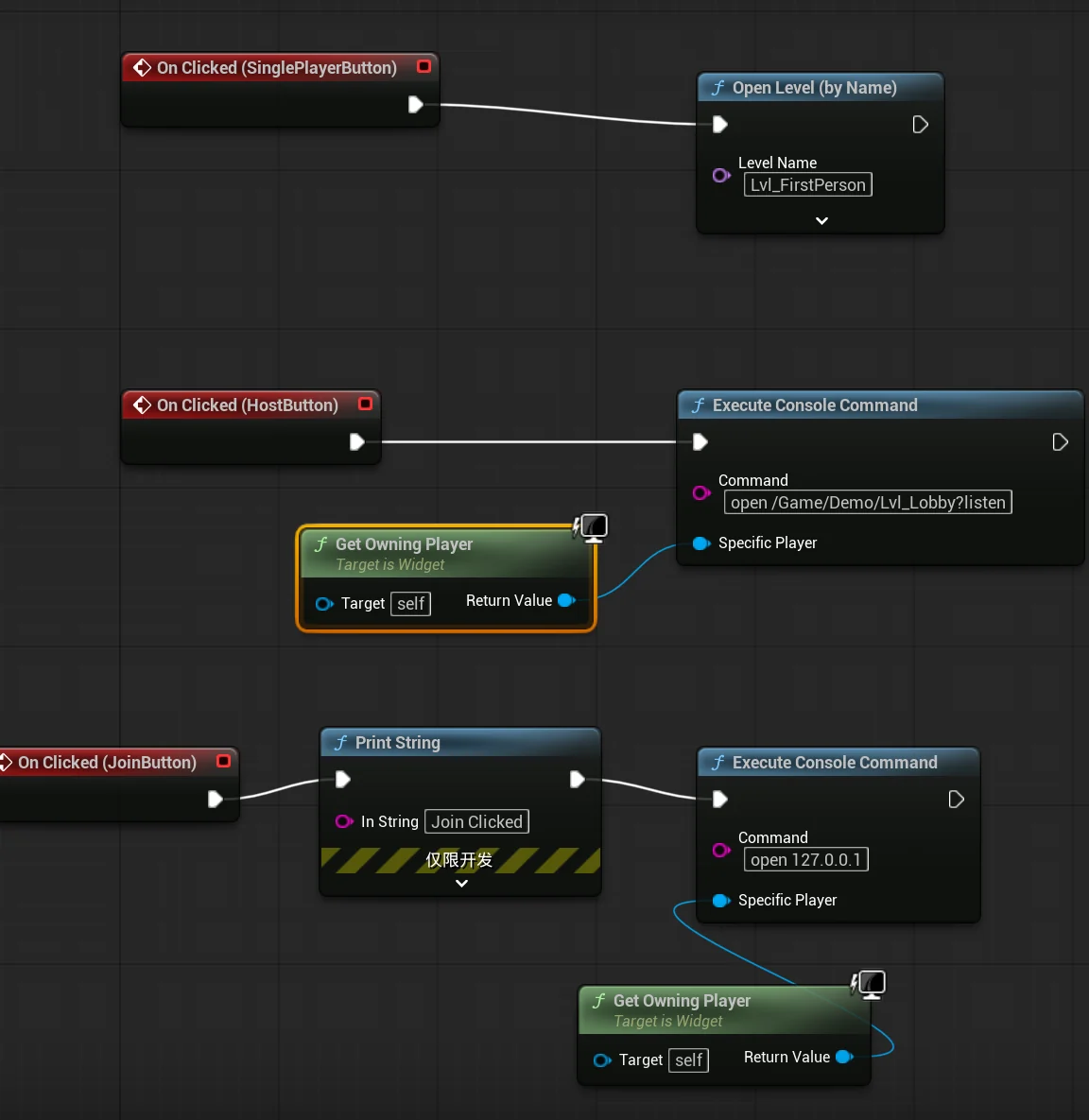
The main menu contains single-player, create multiplayer, and join game buttons. Single-player opens the combat map directly. The multiplayer button runs open /Game/Demo/Lvl_Lobby?listen to create a Listen Server. The join button runs open 127.0.0.1 to connect to the local host.
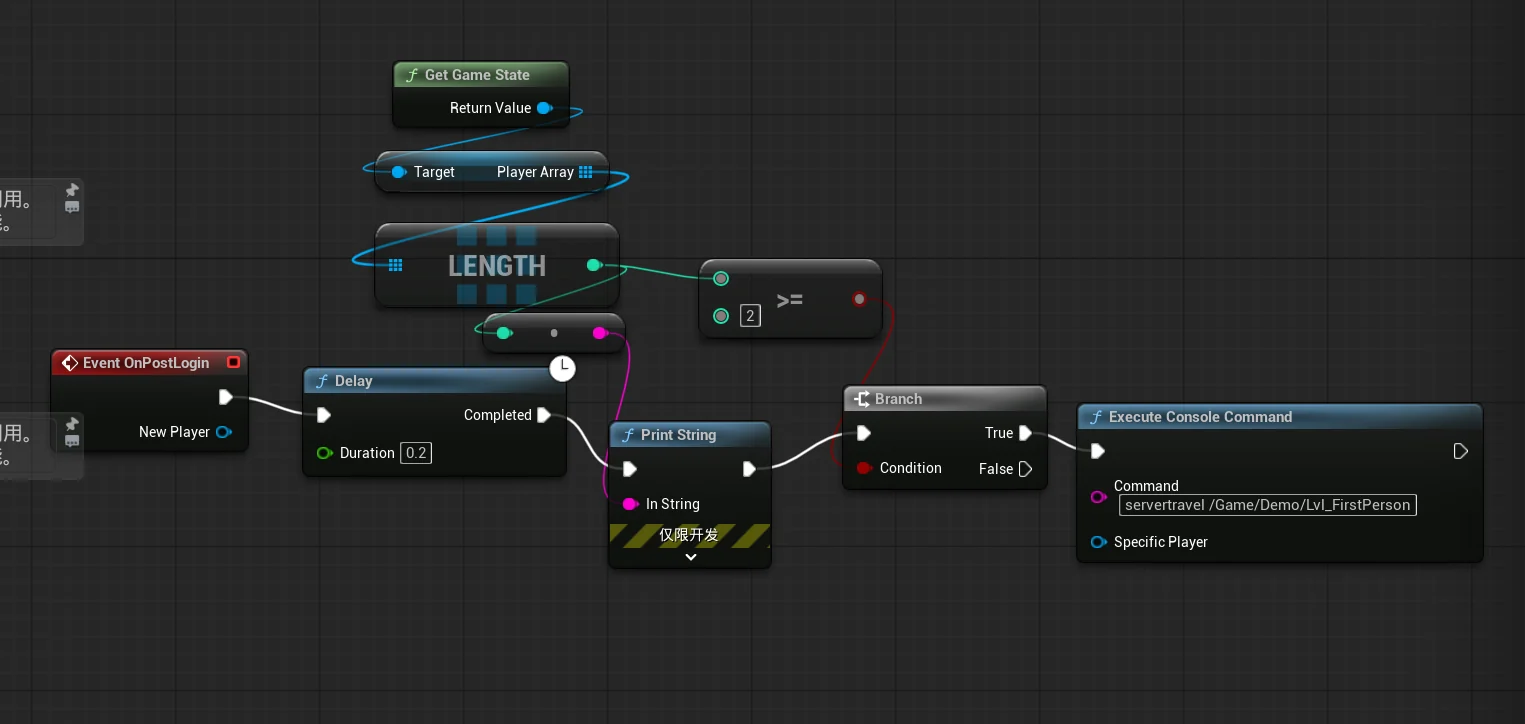
Inside the lobby, BP_LobbyGameMode checks GameState.PlayerArray in PostLogin. When the player count reaches 2, the server performs servertravel /Game/Demo/Lvl_FirstPerson, moving all connected clients into the combat map.
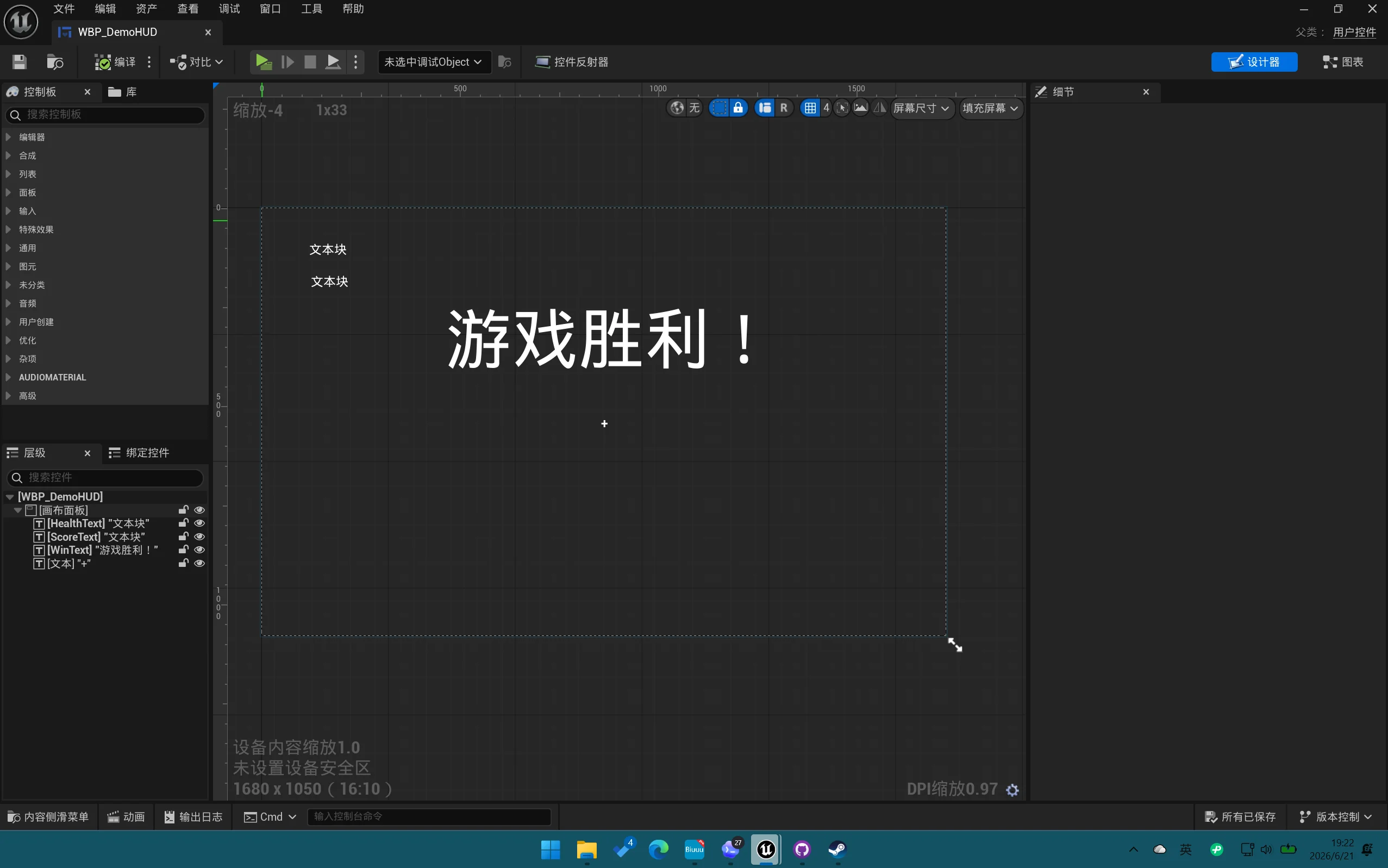
During combat, GameMode modifies the team score, while GameState stores and replicates TeamScore, TargetScore, and GameWon. After the team defeats 5 enemies, the server sets the victory state and all clients display the win prompt on their HUD.
Technical Challenges
Clients should not decide damage
A purely local shooting result can be visible only to one window or create divergent states. I separated visual feedback from authoritative damage: local line traces show immediately, while real Line Trace and Apply Damage run on the server.
Different data needs different sync paths
Enemy movement, attack animation, death UI, and global score have different audiences. I used Replication, Server RPC, Client RPC, and Multicast RPC according to ownership and visibility, with shared match state stored in GameState.
Input mode can remain in UI state
After moving from menus or death UI into combat, input can remain in UI mode. I reset Game Only input, hide the mouse, and create the HUD in local-player BeginPlay and respawn-related flow.
Packaging also exposed issues around Chinese paths, temporary C++ targets, and unused plugins. The final Development build was tested after moving key assets into English paths and disabling unnecessary plugins.
Result and Reflection
The final version completes the required loop and can demonstrate local Listen Server two-player play through two separate exe windows. Player health, death and respawn, enemy AI, attack presentation, team score, and win state remain consistent across both ends.
This project moved my thinking from simply implementing engine features toward deciding which side should own a feature, which states must replicate, and who owns UI and input. The scope is small, but it fills a real practice gap in UE5, Blueprint, UMG, and gameplay networking.
If I continue iterating, I would first improve weapons, enemy waves, level objectives, UI and scene presentation, and room-discovery flow. Moving selected high-frequency logic into C++ is also a future learning direction, not something this version claims to have already implemented.